

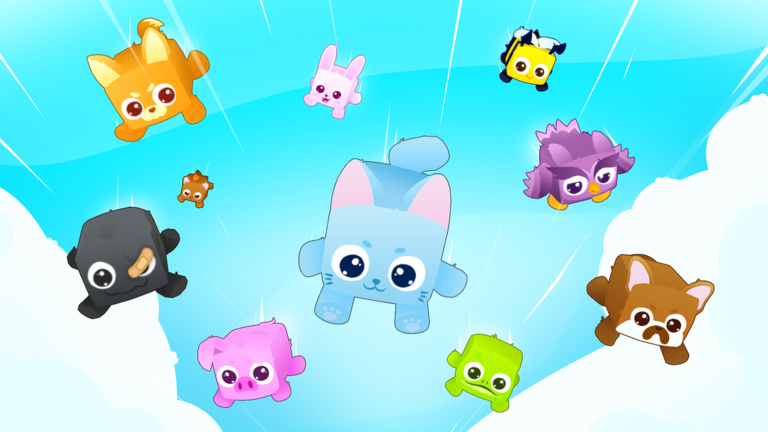
If you love collecting cute critters and watching numbers tick up, Pets Universe delivers that classic Roblox creature-collecting loop. You spend your sessions gathering companions, hatching new additions, and assembling an increasingly powerful squad capable of taking on the game’s biggest challenges.
Progression naturally revolves around making your companions stronger. As your team grows, you need steady resources to keep improving their capabilities, unlocking new zones, and outpacing the standard grind that comes with high-tier team building.
That is where consumable items like fruit, special potions, and temporary stat boosts come into play. These rewards give your team meaningful multipliers, cutting down the hours you would otherwise spend slowly farming currencies or waiting for your stats to creep upward.
Earning enough of these enhancements through standard play alone takes serious patience. Between managing your roster and chasing the rarest pet variants, running low on vital support items can bring your momentum to an abrupt halt.
Redeeming promo codes bridges that gap immediately. Grabbing a batch of free potions, fruit, and gameplay boosts lets you power up your collection without spending Robux, giving you a smooth route to assembling your dream team.
Updated October 2026: We checked for new releases and verified that all current Pets Universe codes are working properly. Claim these boost and potion drops now before the developers retire them in upcoming patches.
All Pets Universe Codes (October 2026)
Here are all the working codes you can redeem right now for free fruit, boosts, and potions:
- update4
- update3
- update2
- 1mvisits
- Miniupdate
- DroverQ
- Russo
- DarkRose
- AG64
- Cupcake
- E11opoppet
- Update1
- Olopomidoro
- Ostrichh
Expired Pets Universe Codes
There are currently no expired codes for Pets Universe.
No expired codes yet.
How to Redeem Codes in Pets Universe
Claiming your freebies takes just a few seconds once you load into the game. Follow these simple steps:
- Launch Pets Universe through the Roblox client.
- Look for the Codes button or Twitter bird icon on your screen, typically found along the side menus or inside the shop.
- Click the icon to open the code redemption pop-up window.
- Enter your code into the text box exactly as shown.
- Click the confirm or redeem button to receive your items instantly.
Why Your Code Isn’t Working
If a code fails to redeem, one of several common issues might be responsible:
- Case sensitivity: Roblox codes frequently require exact capitalization. Double-check uppercase and lowercase letters before submitting.
- Typos and spacing: Accidentally copying a blank space before or after the code can cause the redemption box to reject it.
- Expiration: Developers can disable reward codes at any time without advance warning once an event or milestone ends.
- Prior redemption: Promotional codes can only be claimed once per Roblox account.
How to Get More Pets Universe Codes
Developers generally release new codes to celebrate community milestones, player visit goals, and major content updates. You can track down fresh drops by joining the developer’s official Roblox group, following their community social channels, and keeping an eye on announcements in their Discord server. To save yourself the hassle of searching through chat feeds, bookmark this page and check back often, as we keep our list updated whenever new rewards arrive.

