

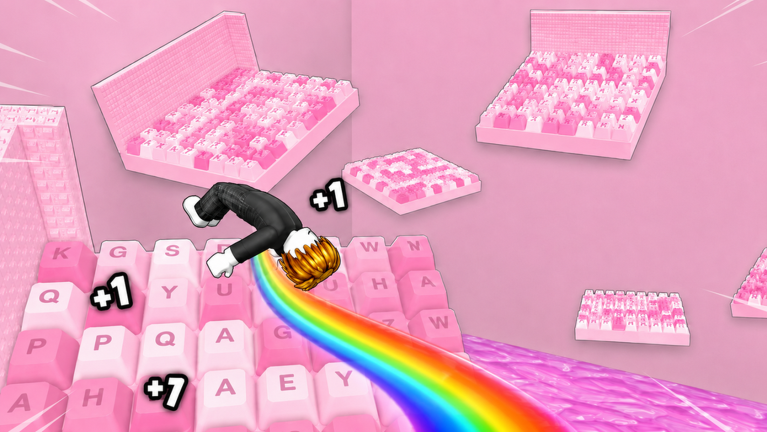
+1 Backflip Keyboard Escape turns acrobatic momentum into an energetic obstacle course where every jump pushes you faster across giant keyboard keys. Instead of jogging along basic flat tracks, your avatar flips continuously to build up the velocity required to cross massive gaps and reach distant platforms.
The core loop centers on stacking your speed stat and accumulating wins. Each completed run over the oversized keycaps lands you at the victory gate, adding wins to your profile that allow you to unlock stage progression, purchase upgrades, and rise through the server leaderboards.
Starting out can feel slow when your flip counter is low and standard jumps barely clear the edges of the keyboard hazards. You have to put in dozens of early flips just to get enough speed for simple leaps, which makes the initial climb a test of patience.
As you build up momentum, you can also collect handy vanity items and equipment, such as unique headsets and chains, alongside seasonal reward chests. These accessories help your character stand out on the leaderboards while occasionally giving your acceleration an extra edge.
That is where promo codes come in handy. Redeeming available developer gifts gives you an immediate shot of speed, stacks of free wins, and stylish accessories without having to spend hours grinding early runs from a standstill.
Updated November 2026: We checked for new codes. Recent additions offer massive speed boosts, hundreds of wins, and seasonal event chests, so claim them quickly before they expire.
All +1 Backflip Keyboard Escape Codes (November 2026)
Redeem the active codes below to grab free speed, instant wins, and exclusive cosmetics.
- 150KLIKES
- WINNER4
- HALLOWEEN
- FINISH2
- SPEED82
- HEADSET1
- DJCHAINS
- 100KLIKES
- FLASH
Expired +1 Backflip Keyboard Escape Codes
No codes have expired yet. Any inactive codes will appear here once they drop out of rotation.
No expired codes yet.
How to Redeem Codes in +1 Backflip Keyboard Escape
- Launch +1 Backflip Keyboard Escape on Roblox.
- Look for the Codes button or Twitter bird icon on your screen interface.
- Click the button to open the redemption pop-up window.
- Enter your code exactly as shown into the text box.
- Click Redeem to receive your free rewards immediately.
Why Your Code Isn’t Working
- Case sensitivity: Codes must match the exact lettering shown, so copy and paste directly into the box to avoid typos.
- Expiration: Developer reward codes can disappear without prior notice when update cycles end or event goals pass.
- One-time use: Promo codes can only be redeemed once per Roblox account.
- Unintended spaces: Ensure no extra spaces are copied before or after the code string when pasting.
How to Get More +1 Backflip Keyboard Escape Codes
Developers usually release new promotional codes to celebrate like milestones, player visits, or seasonal updates. You can track down new codes by following the developer’s official Roblox group and community Discord server. To save time searching through chat logs, bookmark this page and check back regularly, as we keep our active list up to date with every new drop.

